

A supplier recently sent me their Google review link. It was approximately 7.2 million characters long.
Well, not quite, but close enough that I wondered if they had accidentally included their entire website code in the URL.
They make exceptional chocolate gift boxes, so I persevered. But here’s the thing: most customers won’t.
If your Google review link looks like someone fell asleep on their keyboard, you are losing reviews.
Reviews are gold dust for local businesses, so let’s fix this properly.
What's inside? (TL;DR)
This article explains why long, ugly Google review links can stop happy customers from leaving reviews.
It shows how to create a cleaner review link, where to use it, and how to avoid the common mistakes that quietly kill review rates.
Useful Sections
Estimated reading time: 4 minutes
Why Your Review Link Matters More Than You Think
Picture this: a happy customer wants to leave you a glowing review. They are motivated, ready, and have nice things to say. Then you send them a link that looks like encrypted government secrets.
What happens?
They give up.
That five-star review never happens, and your competitor with the simple review process gets their business next time.
After 30 years helping businesses with their online presence, I have seen every way to complicate simple tasks. Asking for reviews should not be one of them. Google reviews directly influence how easily new customers find your business, so they are not just nice to have. They matter for local SEO.
The Dead Simple Way To Create A Google Review Link
Google has made this a slick process, when it is not busy changing its interface every five minutes.
Here is how to get your proper review link in under 60 seconds.
Step 1: Sign In To Google Business Profile
Go to Google Business Profile and sign in with the Google account that manages your business listing.
Your Google Business Profile is often the first thing customers check, so keeping it up to date matters.
Step 2: Select Your Business
If you manage multiple locations, choose the right one.
If you only have one, Google is already waiting for you.
Step 3: Find The “Ask For Reviews” Option
Look in the home cards section. Google usually puts it front and centre because it knows reviews matter.
Can’t see it? Click on Customers in the left menu, then Reviews.
Step 4: Click “Share Review Form”
This is where the magic happens.
Google generates a short, clean link that will not frighten your customers.
Step 5: Copy Your Short Link
It should look something like this:
https://g.page/r/shortcode/review
That is it.
No URL that needs a forklift to move. No customer confusion. Just a simple link that works.
But Wait, There’s More: QR Codes For Physical Locations
Running a restaurant, retail shop, or service business where customers visit in person?
Google has you covered with QR codes too.
Use the same process as above, but look for the QR code option instead of just copying the link. Google generates one automatically that you can:
print on receipts
add to invoices
display at your checkout
include in thank-you cards
place on delivery vehicles
Pro tip: test the QR code with your phone first.
I have seen businesses proudly display QR codes that link to their competitor. That is what we call an own goal in the trade.
Making Your Review Link Work Harder
Got your short link?
Brilliant. Now make it earn its keep.
Email Signatures
Add a simple line such as:
“Enjoyed our service? We’d love your feedback on Google.”
Invoice Footers
Try something like:
“Thank you for your business. If you have a moment, sharing your experience helps others find us.”
Text Messages
After completing a job, send something simple:
“Hi [Name], thanks for choosing us. If you are happy with our service, we would appreciate a quick review: [your link]”
Business Cards
Add the QR code to the back.
Modern problems require modern solutions.
Common Mistakes That Kill Review Rates
Beyond sending links that could double as a PhD thesis, here are other ways businesses shoot themselves in the foot.
Asking At The Wrong Time
Strike while the iron is hot.
Just delivered exceptional service? That is your moment.
Waiting three months? That ship has sailed.
Making It Complicated
“First, create a Google account, then verify your email, then…”
Stop.
If they need instructions, you have already lost them.
Being Pushy
One follow-up is professional.
Five is restraining order territory.
Forgetting To Say Thank You
When someone takes time to review your business, acknowledge it.
A simple “Thanks for the lovely review” goes a long way.
Why This Matters For Your SEO
Google reviews are not just digital ego boosters. They are a ranking factor for local search. More reviews, especially recent ones, help you show up when people search for businesses like yours.
But here is what most SEO guides will not tell you: the ease of leaving a review matters as much as asking for one.
That chocolate company I mentioned? It has a great product but a terrible process.
Do not be them.
Advanced Move: Track Your Success
Want to get fancy?
Use a URL shortener such as Bitly for your Google review link. You will be able to see:
how many people click your link
when they are clicking
which request methods work best
That helps you understand whether email signatures, invoices, text messages, QR codes, or follow-ups are doing the heavy lifting.
Just remember to test the shortened link thoroughly.
Nothing ruins credibility faster than sending customers to a dead link.
Real Business Success: How Fintrano Automated Their Review Process
Want to see review collection done right?
Meet Fintrano, one of our Optimiser Essentials clients, who have turned review requests into an art form.
Fintrano provides a smart diary app for service businesses. But here is the clever bit: they have built review requests directly into their customer journey.
After completing each job, their system automatically asks the customer if they are happy with the service. Simple question, powerful result.
If the customer says yes, Fintrano immediately gives them links to leave reviews on Google Business Profile, Trustpilot, Facebook, and other platforms.
Strike while the iron is hot, remember?
The customer just had a great experience, they are already on their phone, and the review request appears at exactly the right moment.
What makes this brilliant is the timing.
There is no forgetting to ask, no awkward conversation, and no sending complicated links days later when the moment has passed. Just a simple process that captures feedback when customers are most willing to give it.
They use our Optimiser Essentials DIY package to manage their SEO, which means they understand the value of reviews for local search visibility.
By automating the process, they are not just making life easier for their own customers. They are helping every business using Fintrano’s app collect more reviews too.
Here is what Fintrano said about working with us:
“I was extremely impressed with the onboarding process; it was simple to achieve some very powerful things, integrating with Google My Business, Analytics and Search Console, and generating competitor analysis for starters. I’m at the beginning of my journey with this product, but so far I couldn’t be happier.”
That is what we call a win-win-win situation.
Fintrano strengthens its reputation. Its customers get better reviews. The company also delivers more value to its app users.
Job done.
The Bottom Line
Your Google review link should be shorter than this sentence.
If it is not, you are making life more complicated than necessary for you and your customers.
Take five minutes today to generate your proper review link and QR code. Test them both. Then start using them everywhere it makes sense.
Your future self, and your local search rankings, will thank you.
Oh, and that chocolate company?
I did leave them a review, but I also mentioned their link situation.
Sometimes, the best gift you can give a business is helping them fix what is broken.
Can We Help?
Many people end up on our blog because their SEO is not working the way they hoped, and they are trying to work out what to do next.
Sound familiar?
If you are asking for Google reviews but not getting many back, the problem may not be your customers. It may be the process.
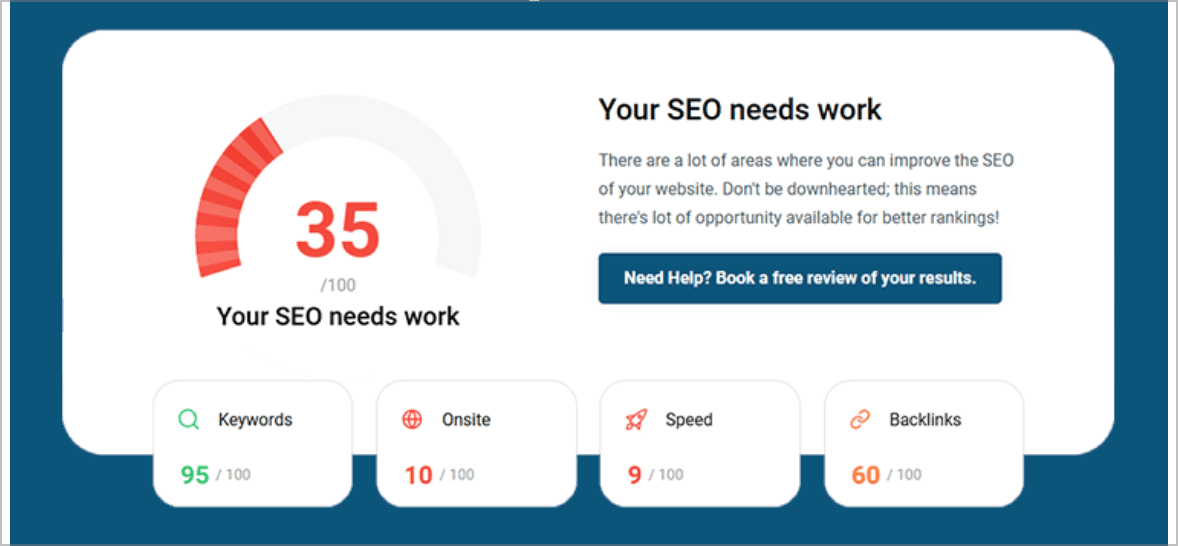
A quick audit can show whether your Google Business Profile, review links, local SEO setup, and follow-up journey are helping people take action or quietly putting them off.