

Right then. Let me tell you a story about website structure that will save you from the chaos most businesses create online.
Last week, I was trying to find a specific product on a local shop’s website. Twenty minutes later, I had clicked through what felt like every page twice, found three broken links, and still had not located what I needed. Sound familiar?
That is what happens when website structure is treated as an afterthought.
Your website structure is not just about keeping things tidy. It is the foundation of your SEO. Get it wrong, and you are basically hiding from both Google and your customers.
Get it right, and everything becomes easier to find, understand, and improve.
What's inside? (TL;DR)
This article explains why website structure matters for SEO, visitors, and conversions.
It covers how to organise pages logically, use headings properly, avoid common structure mistakes, and fix a messy site without starting again from scratch.
Useful Sections
Estimated reading time: 8 minutes
Why Your Website Structure Is Like Your Business’s Skeleton
Think of your website structure as your business’s skeleton online. Just as your skeleton holds everything together and lets you move efficiently, your website structure determines how easily customers and search engines navigate your content.
Google’s Gary Illyes has said that websites need clear hierarchical structures, especially as they grow. It is not about impressing Google with complexity. It is about making everything findable.
Hang on, there is more to the story. Structure affects everything:
How quickly visitors find what they need
Whether Google understands what you offer
Which pages rank for which keywords
How authority flows through your site
Your bounce rate and conversions
Making sense so far? Something as simple as how you organise your pages determines whether you get found online.
The H-Tag Hierarchy: Your Website’s Chapter System
Before we dive into page structure, let’s talk about something that confuses the life out of most business owners: H-tags. That means H1, H2, H3, and so on.
Think of H-tags like the chapter system in a book:
H1 = Your book title. One per page, please.
H2 = Chapter titles
H3 = Section headings within chapters
H4-H6 = Sub-sections, rarely needed
Quick tip: your CMS, whether that is WordPress, Squarespace, Zoho Sites, or something else, almost always assigns the article title as the H1 in a blog. So if it is a blog you are writing, you can usually tick that box. One less thing to worry about.
Here is what this looks like in practice. Say you are a plumber creating a page about bathroom installations:
H1: Professional Bathroom Installation Services in Bedford
H2: Our Bathroom Installation Process
H3: Initial Consultation And Design
H3: Installation Day
H3: Final Inspection And Warranty
H2: Types Of Bathrooms We Install
H3: Family Bathrooms
H3: En-Suite Installations
H3: Wet Rooms
See the logical flow? Each H2 introduces a major topic, and H3s break it down further. It is like giving both visitors and Google a roadmap of your content.
Another example: in the blog you are reading, the title “Website Structure For SEO: How To Organise Your Pages Properly” is also the H1 tag. This section, “The H-Tag Hierarchy: Your Website’s Chapter System”, is an H2 tag. The structure should make the page easier to scan, not harder to understand.
Common H-tag mistakes I see constantly:
Multiple H1s on a page, which confuses the main topic
Skipping levels, such as jumping from H1 to H3
Using H-tags for styling instead of structure
Stuffing keywords unnaturally into every heading
Building Your Website Structure: The Professional Approach
After 30 years in this game, and yes, I started when websites were mostly text on grey backgrounds, I have seen every structure imaginable. The ones that work follow a simple principle: organise like your customers think, not like your filing cabinet.
Start With Your Main Categories
Your homepage should link to main category pages covering broad topics. Keep it simple. If you need more than seven main categories, you are probably overcomplicating things.
For a trades business, let’s say an electrician, that might look like this:
Residential Services
Commercial Services
Emergency Call-Outs
About Us
Service Areas
Contact
For an online shop, imagine a gift retailer:
Shop By Recipient
Shop By Occasion
Personalised Gifts
Gift Ideas
About Us
Contact
Notice how these match how customers think? Nobody searches for “Category A Products”. They search for “birthday gifts for mum” or “emergency electrician near me”.
Create Logical Sub-Categories
Under each main category, add specific pages that make sense together. This is where Norman, our AI strategist, can help by analysing what structure works best for your specific business and market.
Example structure for our electrician:
Residential Services
Rewiring
Full House Rewiring
Partial Rewiring
Old Wiring Replacement
New Installations
Kitchen Electrics
Bathroom Electrics
Outdoor Lighting
Safety Checks
Electrical Safety Certificates
PAT Testing
Fault Finding
See how each level gets more specific? That is exactly how customers narrow down their needs, and it is how Google understands your expertise.
The 3-Click Rule, Sort Of
You have probably heard that every page should be reachable within three clicks. That is mostly right.
What matters more is that your structure makes sense. If someone needs four clicks to reach a specific product variant, but each click logically narrows their search, that is fine.
What is not fine? Making people click through unrelated pages or guess where things might be hiding.
Mobile Structure: Because This Is Not 2005
If your structure does not work on phones, you are making life harder for a large share of your potential customers. That is not a clever strategy. It is just digital self-sabotage wearing a nice jacket.
Mobile Structure Essentials
Collapsible menus: nobody wants to scroll through 50 menu items on a phone
Thumb-friendly navigation: put important links where thumbs naturally reach
Breadcrumbs: show users where they are, such as Home > Services > Rewiring
Search function: sometimes it is faster than navigating
Speed optimisation: complex structures can slow mobile loading
Through our Optimiser AI service, Norman monitors your mobile performance and suggests structure improvements that can affect rankings and usability.
Common Structure Mistakes That Damage Your SEO
Let me share the disasters I see regularly. And yes, I may be describing your website. Sorry. Sort of.
The “Everything From Homepage” Disaster: 47 links on your homepage does not make you look comprehensive. It makes you look confused.
Mystery Meat Navigation: Clever names like “Solutions” or “Offerings” mean nothing. Call things what they are.
Orphan Pages: These are pages with no internal links pointing to them. Google might never find them, and neither will customers.
The Infinite Subcategory Loop: Products > Clothing > Men’s > Shirts > Casual > Cotton > Blue > Navy > Dark Navy. Stop it.
Duplicate Content Structures: Having
/services/plumbing/and/plumbing-services/confuses everyone.
How To Fix Your Structure Without Starting From Scratch
Good news. You do not need to burn everything down and start again.
Here is my proven process for structure rehabilitation.
Step 1: Audit What You Have Got
List every page on your site. Yes, every single one. Tools like Screaming Frog help, but a proper website audit gives you the full picture.
Step 2: Group Related Content
Look for pages that belong together. Often, you will find content scattered everywhere that should be in the same category.
Step 3: Create Your Ideal Structure
Map out how things should be organised. Think like a customer, not like your internal departments.
Step 4: Implement Redirects Properly
When you move pages, use 301 redirects so you do not lose rankings. This is where our Premium service really earns its keep, because we handle the technical bits properly.
Step 5: Update Your Internal Links
Every page should link to related pages. It helps users explore and spreads authority around your website. In SEO circles, this is often called “link juice”. Yes, that is really what we call it. We did not all vote on it.
Step 6: Monitor And Adjust
Structure is not set-and-forget. As your business grows, your structure needs to evolve.
Structure Tips By Business Type
Different businesses need different approaches. Here is what works.
Service Businesses
This includes trades, consultants, agencies, and similar businesses.
Lead with your service categories rather than company information. People want to know what you do, not your mission statement.
If you serve multiple areas, create location pages for each. Give every main service its own page and do not cram everything together. Case studies can sit under the relevant service sections where they make sense.
E-Commerce And Retail
Give customers multiple ways to find products, such as by category, brand, price range, or occasion.
Just make sure your faceted navigation does not create duplicate content issues. Include proper category descriptions too, not just grids of products. Keep product variants organised logically so people can find the exact version they want.
Professional Services
This includes accountants, solicitors, financial advisers, consultants, and similar firms.
You may need to organise by both client type and service type. A solicitor, for example, might have pages for individuals and businesses, then subdivide by practice area.
Create resource sections organised by topic, and make sure compliance or regulatory information is easy to find. Nobody wants to hunt for your terms of business.
Structure your case studies by both industry and the type of challenge solved.
The SEO Structure Fitness Test
Want to know if your structure is in decent shape? Ask yourself:
Can a first-time visitor find any service or product within 30 seconds?
Does your URL structure match your navigation structure?
Could you draw your site structure from memory?
Do related pages link to each other naturally?
Would your nan understand your menu labels?
If you answered “no” to any of these, your structure needs work.
Why This Matters More Than Ever
Google is getting better at understanding relationships between content. A logical structure helps search engines recognise what your site is about, which pages matter most, and where your authority sits.
And with AI-powered search becoming more visible, clarity matters even more. Search systems need to understand not just what each page says, but how those pages connect.
If your site is a jumble, you are making that harder than it needs to be.
The Bottom Line On Website Structure
Your website structure is the foundation of your SEO. Get it right, and everything else becomes easier: rankings, user experience, conversions, the lot.
Get it wrong, and you are fighting an uphill battle with one hand tied behind your back.
The good news? It is fixable.
Whether you are starting fresh or rehabilitating a chaotic site, the principles stay the same: think like your customers, organise logically, and make everything easy to find.
And remember, structure is not about impressing web developers or SEO nerds like me. It is about making it dead easy for customers to find what they need and buy from you.
That is it. That is the whole game.
Can We Help?
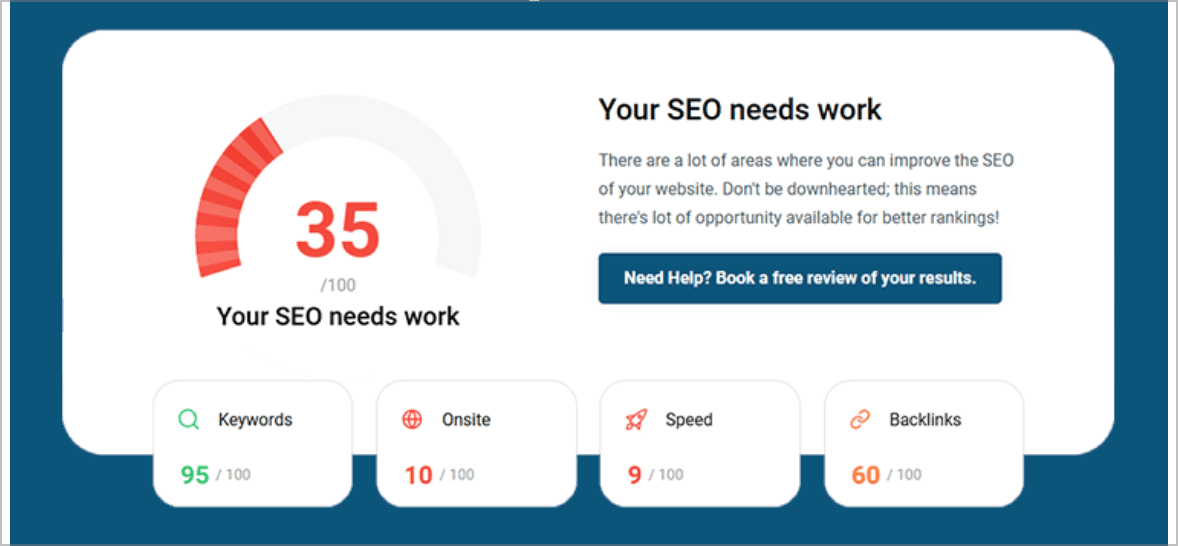
Many people end up on our blog because their SEO is not working the way they hoped, and they are trying to work out what to do next.
Sound familiar?
If your website structure is making people work too hard, it is probably making Google work too hard as well.
We can help you find the messy bits, spot the pages that are buried, and work out what needs fixing first without turning the whole website upside down for fun.