Ever wondered what happens when you first meet Norman, our AI-powered SEO strategist?
Unlike generic chatbots that waste your time with endless questions, Norman gets you set up and ready to go before your tea goes cold.
Here’s the thing. I know you might be nervous. You’ve bought an SEO programme, but you may not feel confident in your SEO skills yet. You do not know what you do not know. That is exactly why we built Norman this way.
As one client told us: “I was extremely impressed with the onboarding process; it was simple to achieve some very powerful things...”
What's inside? (TL;DR)
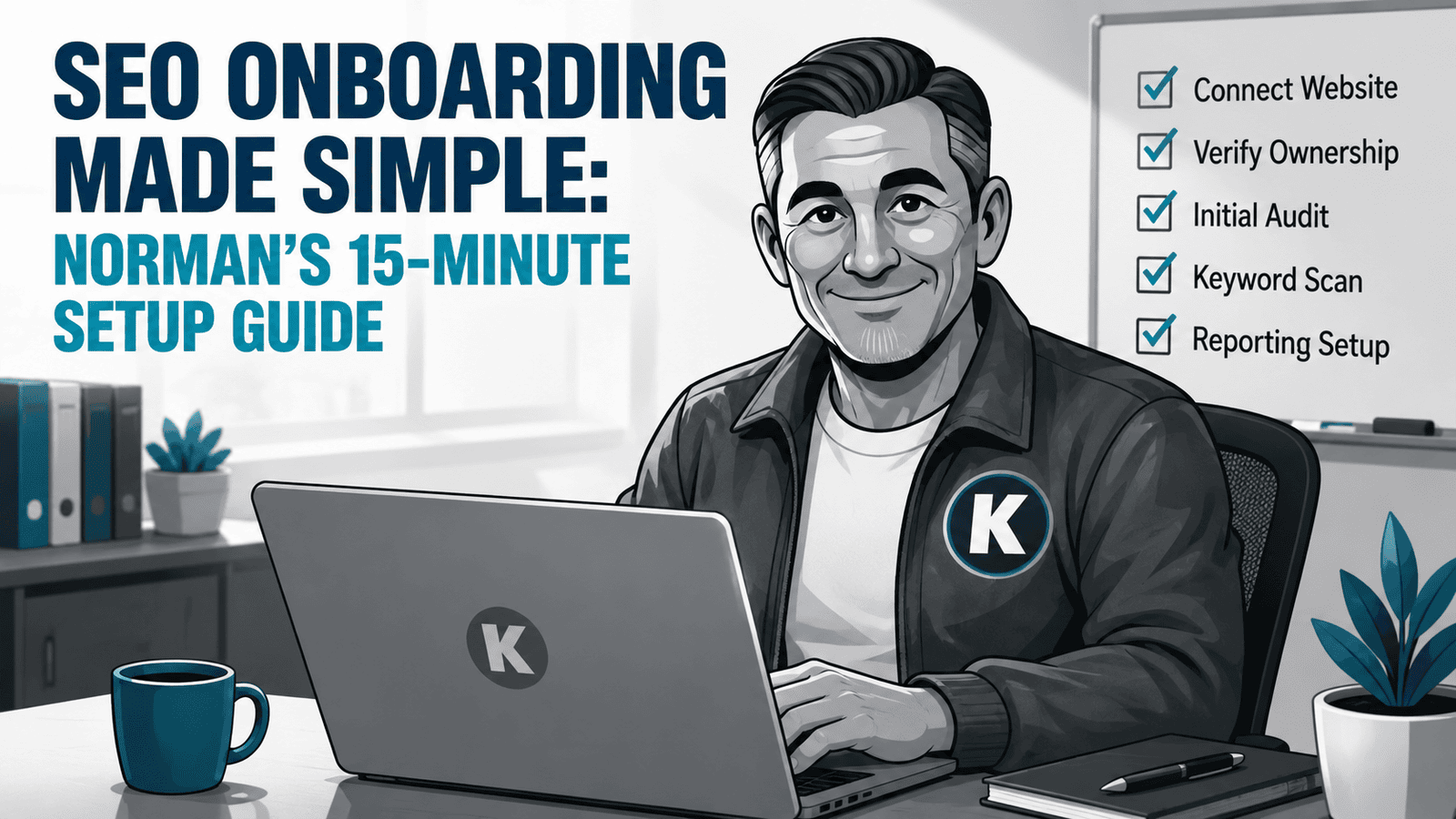
This article shows what happens during Norman’s onboarding process, from the first setup questions to the completed SEO strategy.
It explains what you need before you start, what Norman asks, how your keywords are built, and what happens once onboarding is complete.
Useful Sections
Estimated reading time: 7 minutes
Let me walk you through exactly how Norman builds your custom SEO strategy, because understanding the process helps you get more from it.
You will spend around 10–15 minutes answering questions, then Norman takes up to 45 minutes to build your strategy while you grab a cuppa.
Before You Start: Quick Setup Tips
Lost your login details? Check your spam folder first. They often hide there because apparently important emails enjoy playing hide-and-seek.
If you still cannot find them, use the password reset. That usually takes about 30 seconds.
Important: only one person should complete the onboarding. Having multiple people try to set things up creates conflicts and confusion. Pick your point person and let them handle it.
Before you log in, grab your Google account details for:
Google Analytics
Google Search Console
Google Business Profile
Having these ready makes the process smoother, although you can always come back to this step if needed.
Wait, What? You Do Not Have These Google Tools?
Don't have Google Analytics or Google Business Profile? Not sure what Google Search Console even is?
OK. Do not panic.
That should not stop you from completing the rest of your onboarding. For now, skip over any Google tools you do not have. Norman will work with what you have got, so the setup can keep moving.
But these tools are not optional for long. Norman uses Google Analytics, Google Search Console, and Google Business Profile in the early days of his work, so we need to get them connected as soon as onboarding is complete.
Once you have finished onboarding, follow up with the KickstartSEO Team and we will nail everything down. No drama. Just one of those jobs that needs to be done before Norman can do his best work.
The “What If I Get Stuck?” Reality Check
Here’s what is brilliant: no one has actually got stuck during onboarding. It really is that straightforward.
But if you do hit a snag, the Facebook group is the place to ask questions. We do like to stop to eat and sleep, except Norman, but if he is the problem, he cannot offer the solution.
There are also questions and answers from other users in the Facebook group that may help you find your way.
And here’s the brilliant bit. If you need to walk away to get answers, Norman remembers exactly where you left off. No starting over. No lost progress.
What if you have to close your browser before you finish? Just come back to portal.kickstartseo.co.uk. Norman will be waiting for you right where you left off.
Meeting Norman: Your First Steps Together
When you sign up for Optimiser AI or Essentials, Norman immediately starts learning about your business.
This is not random data collection. It is a focused assessment designed to create an SEO plan that brings you the right traffic, not just any traffic.
The whole process follows the same pattern you will use once your strategy is live:
You give feedback.
Nothing happens that you do not approve. It is AI powered by humans.
Your hands-on time? Just 10–15 minutes. Norman guides you through every step, and it is actually quite painless. Altogether, set aside an hour. The other 45 minutes are for Norman to do his thing while you sip tea.
Step 1: Where Are Your Customers?
First thing Norman needs to know: where your customers are based.
He will automatically detect your country and ask whether you serve the whole nation or specific locations.
For local businesses, this is crucial. There is no point ranking for “plumbers” nationally when all your customers are in Bedford, Milton Keynes, and Northampton.
Setting Your Location Priorities
Here’s where it gets clever.
Norman lets you add your service areas, then asks you to drag them into priority order.
Why? Because your SEO strategy should focus on where most of your business comes from.
You can select up to four locations, ordered by importance. If you serve more areas, pick your top four money-makers.
Norman will suggest similar areas based on what you enter, which is handy if you have forgotten that village just outside your main patch.
Quick tip: double-check these locations before proceeding. They will shape your entire SEO campaign. Get them wrong, and you will be targeting customers who will never use you.
Step 2: Telling Norman About Your Business
Next, Norman generates a description of your business.
This is not marketing waffle. It is the foundation of your keyword strategy.
He will craft something that highlights:
your key products or services
the locations you serve
details about your target customers
Do not like what Norman has written? Double-click and edit it.
This description helps Norman understand what makes you different from every other business in your sector.
Step 3: Who Is Your Competition?
Norman has already been doing his homework.
He will show you a list of competitors he has identified in your market.
Scroll through and tick any you recognise. Know competitors Norman has missed? Add their website addresses.
You can include up to five competitors in total.
This is not about copying them. It is about understanding your market. Norman analyses what is working for them and identifies opportunities they have missed.
Groovy, right?
Step 4: What Do You Actually Do?
Time to tell Norman exactly what products and services you offer.
He will suggest some based on your industry, but you are in control.
Drag the relevant ones into your list, ordered from most important to least. You can add up to eight different products or services.
These are not just labels. They are the foundation of your keyword targeting.
Critical point: the order matters. Your primary service should be at the top because Norman will prioritise finding customers searching for that.
Do not worry about getting everything perfect. You can adjust competitors, keywords, and strategies anytime after going live.
The only mistake is not starting.
Remember, you do not know what you do not know about SEO. That is fine. Norman does.
Trust the process.
Step 5: Connecting Your Google Accounts
Norman asks to connect your Google accounts:
Google Analytics
Google Search Console
Google Business Profile
Just follow the prompts to connect.
This gives Norman the data he needs to build on what is already working, not start from scratch.
The Magic Happens: Building Your Keyword Strategy
Now Norman goes to work.
Using everything you have told him, he builds your keyword strategy. This is where 30 years of SEO experience meets AI processing power.
You will see two progress bars during this phase. Do not worry if Norman seems to pause. He is not stalled. He is working.
What used to take me a day and a half, Norman does in about 20 minutes.
Feel free to walk away, grab a snack, or check your emails. Norman will be ready when you come back.
He is not just picking random keywords. He is:
analysing search volumes
checking competition levels
matching keywords to buying intent
creating location-specific variations
When he is done, you will see exactly why each keyword was chosen.
No mysterious black box here. Complete transparency.
Reviewing Your Keywords
Norman shows you all the keywords he has selected.
Scroll through and deselect any that do not fit. Maybe he has included “emergency plumbing” but you do not do call-outs. One click removes it.
This is your strategy. You have the final say.
Mapping Keywords To Pages
Here’s where Norman really shines.
He analyses your entire website to find the best page for each keyword.
Some keywords will map to existing pages. Others might need new pages creating. You will be able to see all of this in your Sitemap Strategy when you finish onboarding.
This process can take up to an hour in total, but it is usually much quicker. Norman will email you when it is complete.
Again, you will see progress bars. Just let Norman work his magic. He is not randomly assigning keywords. He is creating a plan where each page has a specific job to do.
Each page gets up to three keywords.
Why three? Because that is the sweet spot for focused optimisation without overdoing it.
Final Review: Your SEO Strategy Is Ready
Norman shows you the complete plan:
which keywords target which pages
why he has made these choices
where new pages might be needed
You can edit any assignments that do not look right.
Once you are happy, one click activates your SEO strategy.
Installing The Onsite Optimizer
Final step: installing The Onsite Optimizer snippet on your website.
This gives Norman the ability to implement your SEO strategy round the clock.
Important: Norman will not make any changes unless you allow him to. You stay in complete control.
Think of it as giving him the keys to your website. He can suggest improvements, but you decide what actually happens.
Two installation options:
Do it yourself by copying and pasting one line of code.
Let our team handle it for you. (We'll need access to your website.)
What Happens After Onboarding?
With setup complete, Norman begins his real work:
optimising your pages for selected keywords
suggesting content improvements
monitoring your progress
adapting the strategy based on results
The first few days matter, which is why we need your Google Analytics, Google Search Console, and Google Business Profile connected quickly if they were not ready during onboarding. Norman uses those signals early to understand what is happening, what is already working, and where the best opportunities are hiding.
Within a week, you should have your first blog post ready. Two weeks in, Norman should be making changes that help you get found.
This time next year? Well, you know what Del Boy said.
For Optimiser AI clients, you will approve changes through the Approval Centre. As an Optimiser Essentials client, you will receive Norman’s recommendations to implement yourself.
Need help along the way? Use the Support Center inside your dashboard. That is where you can ask questions, get guidance, and keep things moving without digging through old emails or wondering where to go next.
It is brilliant.
Why This Approach Works
This is not how many SEO companies operate.
Some will spend weeks on “discovery phases” and charge you thousands before doing anything useful.
Norman’s onboarding gets you up and running quickly, with a strategy based on real data, not guesswork. It also gives you a clear route into action, because a strategy that sits in a folder gathering dust is not a strategy. It is admin with better shoes.
That is the difference between The Norman Advantage and generic SEO tools.
Norman is not just software. He is your AI strategist, powered by three decades of real-world SEO experience, but still guided by human judgement.
The Human Touch
While Norman handles the technical heavy lifting, you are never dealing with just a machine.
Support is built into the process. You can access the Support Center directly from your dashboard, ask questions, and get help when you need it.
It is the best of both worlds: AI efficiency with human expertise and care.
Because doing it yourself should never mean doing it alone. That is just not our style.
Can We Help?
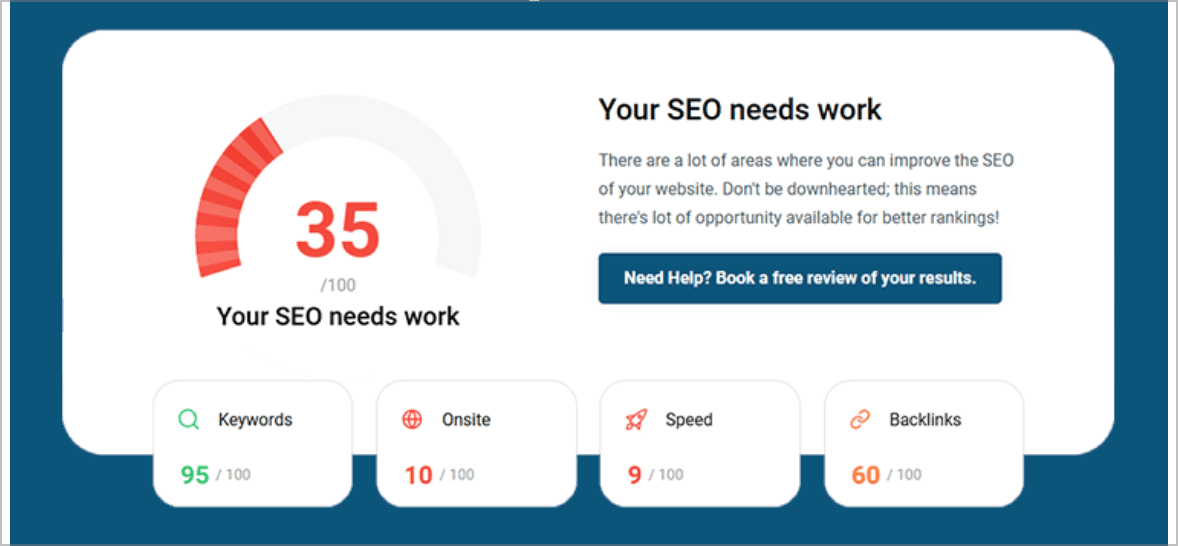
Many people end up on our blog because their SEO is not working the way they hoped, and they are trying to work out what to do next.
Sound familiar?
If your SEO setup feels like the sort of thing that should come with a warning label and a lie down afterwards, this is exactly why we built Norman’s onboarding this way.
You get a clear route into action, with the right questions asked up front and support available when you need it. No mystery tour, no disappearing act, no “good luck, you’re on your own” nonsense.