

Your Google Business Profile is sitting there, unverified, like a shop with the lights off.
It is not doing its job, and that could be costing you customers. But here’s what many business owners do not realise: verification is not just some bureaucratic checkbox. It is the difference between being visible locally and quietly disappearing while competitors get the calls.
Thinking Google just makes it difficult for sport? Not quite. Google wants to know you are a real business before it sends customers your way. Annoying? Sometimes. Important? Absolutely.
What's inside? (TL;DR)
Google Business Profile verification is not just admin. It controls whether your business can properly appear, manage details, respond to reviews, and compete for local searches.
This article explains the main verification methods, why service area businesses need extra care, and what to do if Google asks for video verification.
Useful Sections
Estimated reading time: 7 minutes
What Does Verification Actually Mean?
Think of verification as Google’s way of confirming you are not some dodgy operation working out of someone’s imagination.
Google wants proof that your business exists, that you are legitimate, and that customers can trust the information shown on your Google Business Profile.
When Google verifies your business, it is effectively confirming that you have the right to manage that listing.
Without verification, you may be missing:
the ability to respond properly to reviews
control over your business information
the chance to update opening hours, services, photos, and contact details
stronger local visibility when people search for what you do nearby
I have seen businesses treat verification as optional. That is a bit like treating the front door of your shop as optional. Technically possible, but not exactly helping the customer get in.
The Verification Methods Google May Use
Google decides which verification method it wants you to use. You do not usually get to pick your favourite.
The method offered depends on your business type, location, history, and what Google needs to confirm.
Postcard Verification
This is the classic method. Google sends a postcard to your business address with a unique verification code.
It can take several days to arrive, and sometimes longer if the post decides to take the scenic route.
Helpful points:
works for many business types
does not need technical setup
provides a clear verification code
Important points:
the postcard must arrive at the exact address listed
someone needs to be able to receive it
do not change key business information while waiting, as this can interrupt the process
Phone Verification
If Google offers phone verification, it may call or text your business number with a code.
This is usually much faster than postcard verification.
You will normally need:
a real business phone number
access to the phone when Google contacts you
a number already associated with the business
Email Verification
Some businesses are offered email verification.
Google sends a code to a business email address, usually one connected to your domain rather than a free personal account.
This tends to work best when the business already has a clear online footprint.
Instant Verification
If your business is already verified through another trusted Google property, such as Google Search Console, Google may allow instant verification.
This is not guaranteed, but when it appears, take the win. They do happen occasionally.
Video Verification
Video verification is becoming more common.
Google may ask you to record a short video showing your premises, equipment, signage, or proof that your business operates from the location claimed.
This is not just a case of waving your phone about and hoping for the best. It needs a little planning.
The Verification Timeline: What To Expect
Different methods have different timescales.
Typical timings are:
Instant or email verification: minutes to hours
Phone verification: often same day
Video verification: usually a few business days
Postcard verification: often 5–14 days, sometimes longer
The important bit is starting the process properly.
Every day your profile sits unverified is another day your local visibility is weaker than it should be.
Service Area Business Or Address-Based Business?
Before you verify, you need to understand how your business should appear on Google.
Google generally treats businesses in two ways: address-based businesses and service area businesses.
Choose carefully, because picking the wrong option can cause problems later.
Address-Based Business
This is for businesses where customers visit your location.
Examples include:
shops
restaurants
clinics
offices
salons
gyms
showrooms
Your address is shown publicly, customers can get directions, and your location plays a direct role in local visibility.
Choose this if customers genuinely visit your premises during stated business hours.
Service Area Business
This is for businesses that travel to customers.
Examples include:
plumbers
electricians
mobile mechanics
cleaning businesses
landscapers
mobile hairdressers
Your address can be hidden from public view after verification, and your profile can show the areas you serve instead.
This is especially important if you work from home and do not want customers arriving at your door while you are eating your dinner. Nobody needs that level of local SEO.
The Hybrid Problem
Some businesses do both.
For example, a garage may have customers visit the workshop and also provide mobile services.
In that case, choose the setup that reflects how your business mainly operates. If most customers visit your premises, an address-based listing
usually makes sense. If most of your work is done at customer locations, a service area setup may be more suitable.
Is Verification Different For Service Area Businesses?
The process is broadly the same, but there is one key difference.
If you are a service area business, you still need to verify using your real business address. After verification, you can hide that address and set your service areas.
Do not use fake addresses, virtual offices, or random locations just to look more local. Google is not daft, and listings that play games with addresses are asking for suspension.
For service area businesses, the safest route is simple:
verify using your real eligible business address
hide the address if customers do not visit you there
set realistic service areas
Video Verification: The Complete Guide
When Google asks for video verification, it wants evidence that your business is real and operating from the location claimed.
Think of it as a short virtual inspection.
Before You Start Recording
First, get the basics right.
You will need:
a fully charged smartphone
a clean camera lens
good lighting
stable internet for upload
a clear idea of what you need to show
Then plan your route.
Depending on your business type, Google may need to see:
the outside of your premises
your business entrance
visible signage
your workspace
equipment or stock
vehicles or tools
proof that the business operates from that location
Record during normal business hours where possible. Your space should look active, not abandoned.
Recording Your Video
Start from outside where you can show the location in context.
Move slowly and steadily. This is not an action film. Google needs clear evidence, not shaky footage that looks like you recorded it during an earthquake.
Try to show:
business signage
the entrance
the main working area
tools, equipment, stock, or fixtures
anything that proves a genuine business operates there
Keep the video focused. Google wants evidence, not a director’s cut.
Video Verification For Service Area Businesses Working From Home
If you work from home, the goal is to prove the business is real without turning the video into a house tour.
You may need to show:
your house number or street context
your home office or workspace
business equipment
tools or stock
branded materials
a work vehicle, if relevant
business documents with sensitive details hidden
Keep it professional and business-focused.
You are proving business activity, not showing Google where the biscuits live.
Video Verification For Address-Based Businesses
For shops, offices, clinics, salons, and other customer-facing locations, the video should show that customers can genuinely visit you there.
Try to include:
the shopfront or building entrance
business signage
street number or location context
reception or customer area
main working space
permanent fixtures
stock, equipment, or service areas
staff working naturally, with permission
Use one continuous shot where possible. Avoid edits, cuts, or anything that makes the footage look staged.
Practical Video Tips
A few simple things make the process smoother:
narrate what you are showing
record slowly
keep the business name visible where possible
tidy the space first
avoid filming in darkness
record a backup if needed
You do not need a Hollywood production. You need clear proof.
Common Video Verification Failures
The usual mistakes are avoidable:
the video is too shaky
the footage is too dark
there is no clear signage or business proof
the location does not match the profile
the business looks inactive
the video jumps around with no clear route
the evidence does not match the business type
Most failed verifications come down to one thing: Google cannot confidently see what it needs to see.
Troubleshooting Common Verification Problems
Verification is usually straightforward, but Google being Google, things can go sideways.
Here are the common problems.
The Postcard Never Arrived
Request a new one after the waiting period Google gives you.
Before you do, check your address carefully. Small differences in formatting, unit numbers, or building names can cause problems.
Video Verification Keeps Failing
Your video probably lacks one or more key pieces of evidence.
Recheck what Google is asking for, then record again with clearer footage, better lighting, and stronger proof of your business location and activity.
Google Will Not Verify A Home Office
Google has become stricter about residential addresses.
If you are a service area business, make sure your setup follows Google’s rules. You can usually hide your address after verification, but the address still needs to be genuine and eligible.
Do not try to solve this with a fake address. That shortcut has a nasty habit of becoming a suspension.
The Profile Keeps Getting Suspended
This usually means something is triggering Google’s quality checks.
Common causes include:
inconsistent business details
keyword stuffing in the business name
suspicious address use
too many edits in a short period
business categories that do not match reality
Stop changing everything at once. Fix the core issue, make the listing accurate, and keep it consistent.
Multiple Locations Need Verification
Each genuine location usually needs its own profile and verification.
Do not try to cram several locations into one listing. Set each one up properly, use consistent details, and manage them from the same Google account where possible.
The Business Name Does Not Match
Your Google Business Profile name should match your real-world business name.
If your sign, website, Companies House record, and Google listing all say slightly different things, tidy that up before verification.
Google likes consistency. Annoyingly, it is right about this one.
The Business Is Seasonal Or Newly Opened
Seasonal and new businesses can still be verified, but you may need to show extra proof.
If you are not fully open yet, show permits, temporary signage, equipment, premises, or business documents. The key is proving that the business is legitimate and connected to the location.
Google Rejected The Verification
Do not panic.
Read the reason carefully, fix the problem, and try again. If you keep failing, use Google Business Profile Help and make sure your evidence is clear before appealing.
Repeated failed attempts usually mean something still does not line up.
After Verification: What Happens Next
Once verified, your profile becomes far more useful.
You can:
manage your business information
add services
upload photos
respond to reviews
see customer insights
improve your local presence
Verification does not magically make your SEO perfect. It gives you control of an important local visibility asset.
That control matters.
What Can Trigger Re-Verification?
Google may ask you to verify again if something significant changes.
Common triggers include:
changing your business name
moving address
switching from address-based to service area
changing your primary category
ownership changes
multiple edits in a short period
suspicious activity
reports from users or competitors
random quality checks
If Google asks for re-verification, treat it as maintenance, not a disaster.
The best way to reduce problems is to keep your information accurate, consistent, and boringly sensible. Boringly sensible wins more often than people like to admit.
The Bottom Line: Get Verified
Google Business Profile verification is not optional if local visibility matters to your business.
Without it, you have less control, weaker trust, and fewer ways to show customers that you are real, open, and ready to help.
The process can be annoying. Postcards go missing. Videos fail. Google sometimes behaves like Google, which is a sentence business owners understand far too well.
But verification is still worth doing properly.
This is not really about pleasing Google. It is about helping customers find you, trust you, and contact you.
Get verified. Get visible. Then keep the profile maintained.
Can We Help?
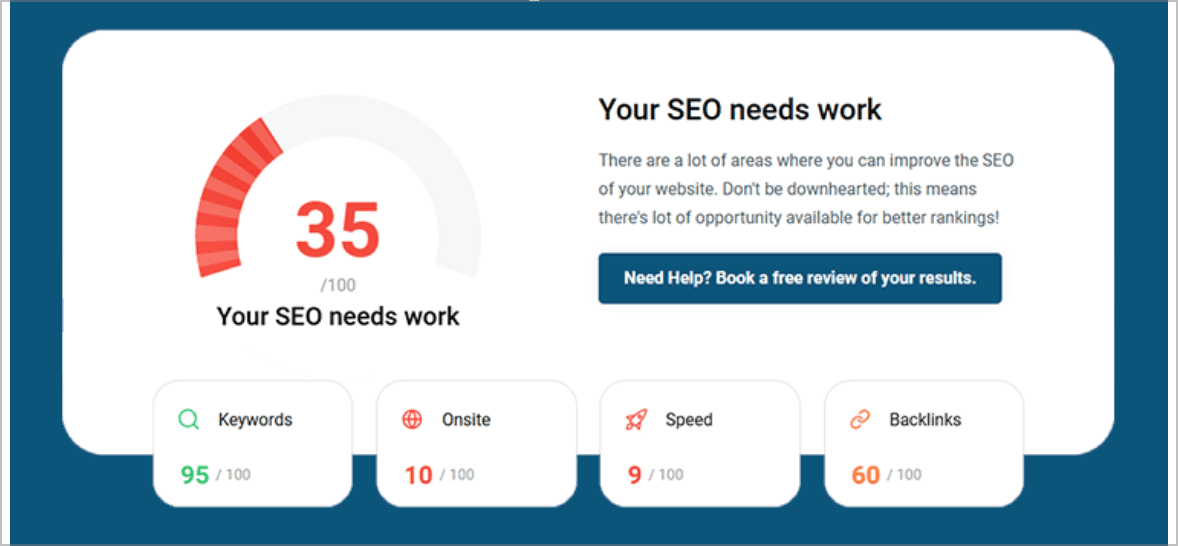
Many people end up on our blog because their SEO is not working the way they hoped, and they are trying to work out what to do next.
Sound familiar?
If your Google Business Profile is unverified, stuck, suspended, or just sitting there looking decorative, it is worth getting proper eyes on it.
Local SEO is often won or lost in these small setup details, which is annoying, but also fixable.